
macOS
Lulucat Flow
Every source becomes its own file
Lulucat Flow records several sources at once — displays, cameras, microphones, and the sound your Mac plays — and writes each one to a separate file. Nothing is mixed together, nothing is composited.
What it records
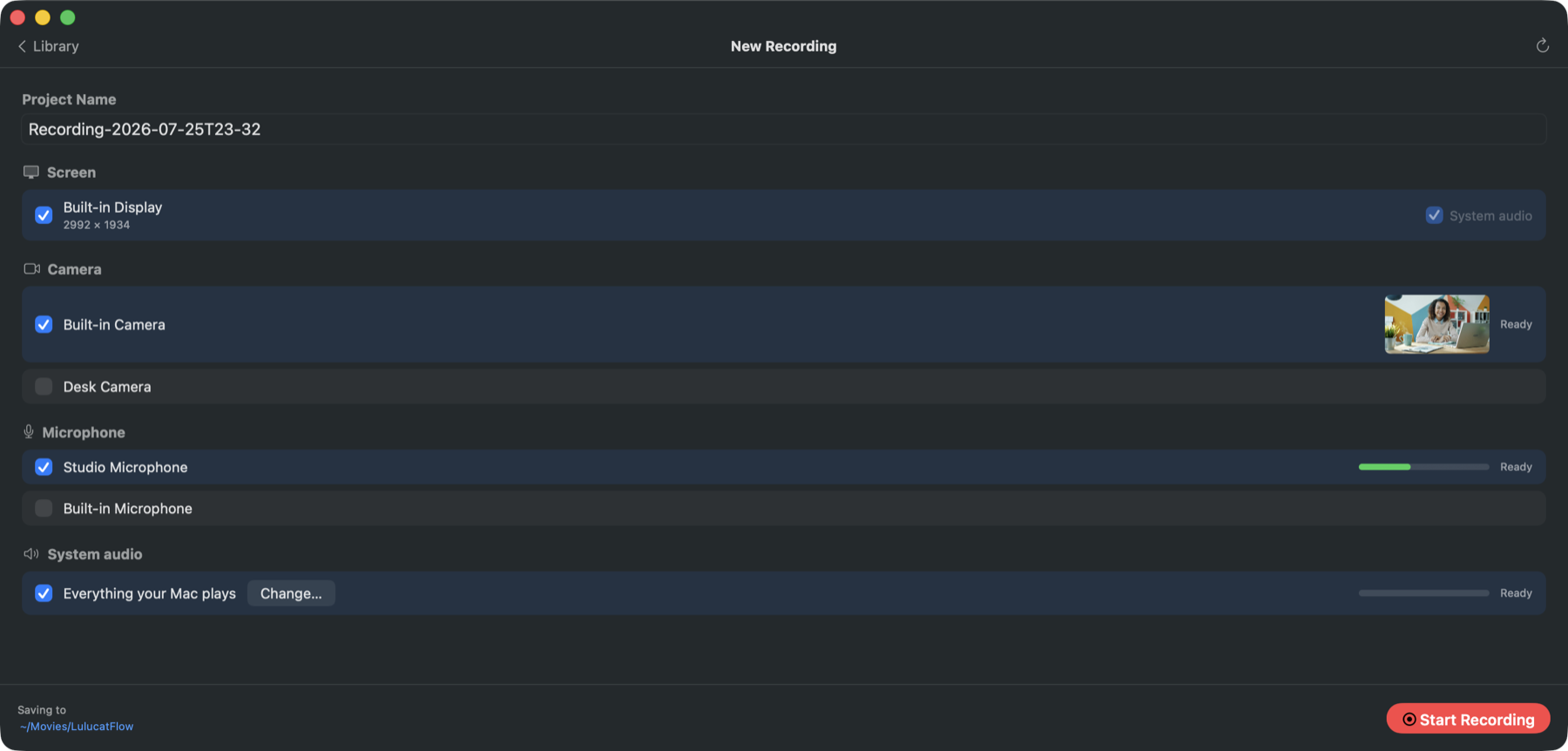
Every display
Recorded through ScreenCaptureKit at up to 60 fps, Retina or logical size, with or without the cursor.
Every camera
Built-in, USB and Continuity Camera, each at the highest format the camera supports and its own frame rate.
Every microphone
Each microphone and audio interface input lands on a separate track, at the sample rate you choose.
System sound
The sound your Mac plays, as its own track. Record the whole machine, or name the apps whose sound you want.
What you get
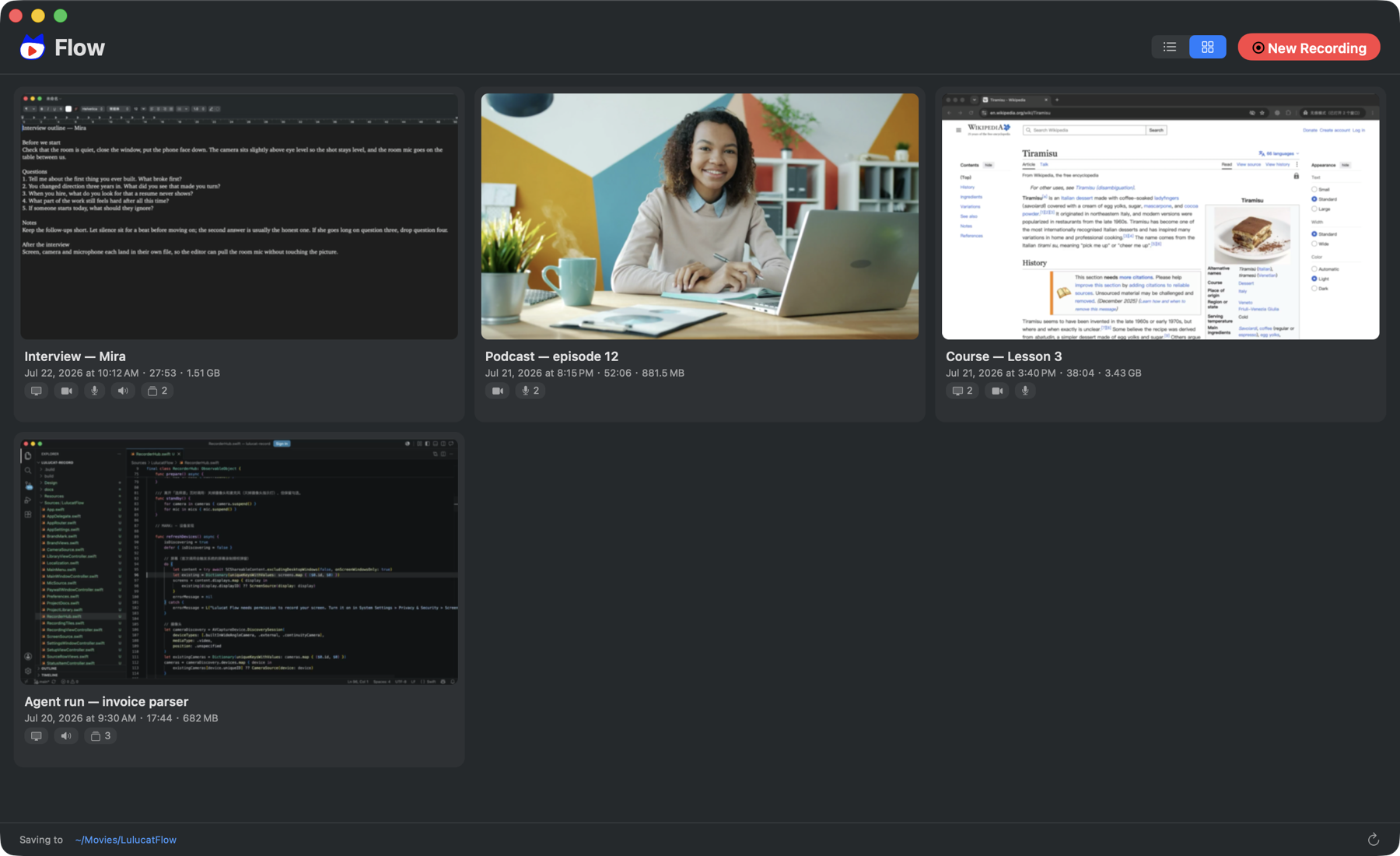
A recording with two cameras and two microphones produces four files, not one mixed video. The files open in Final Cut Pro, DaVinci Resolve, Premiere Pro or anything else that reads QuickTime and AAC.
- One folder per recording, named after the moment you pressed record
- A project.json with the full track list
- An AGENTS.md that describes the layout and naming rules in plain language
- File names without spaces, so *.WA.mov picks out every video that carries audio
Pause and resume
Pausing closes the current files and keeps the previews running. Resuming starts a new set of files in the same project. Files inside one folder share a timeline and drop onto parallel tracks with no offset.
While recording
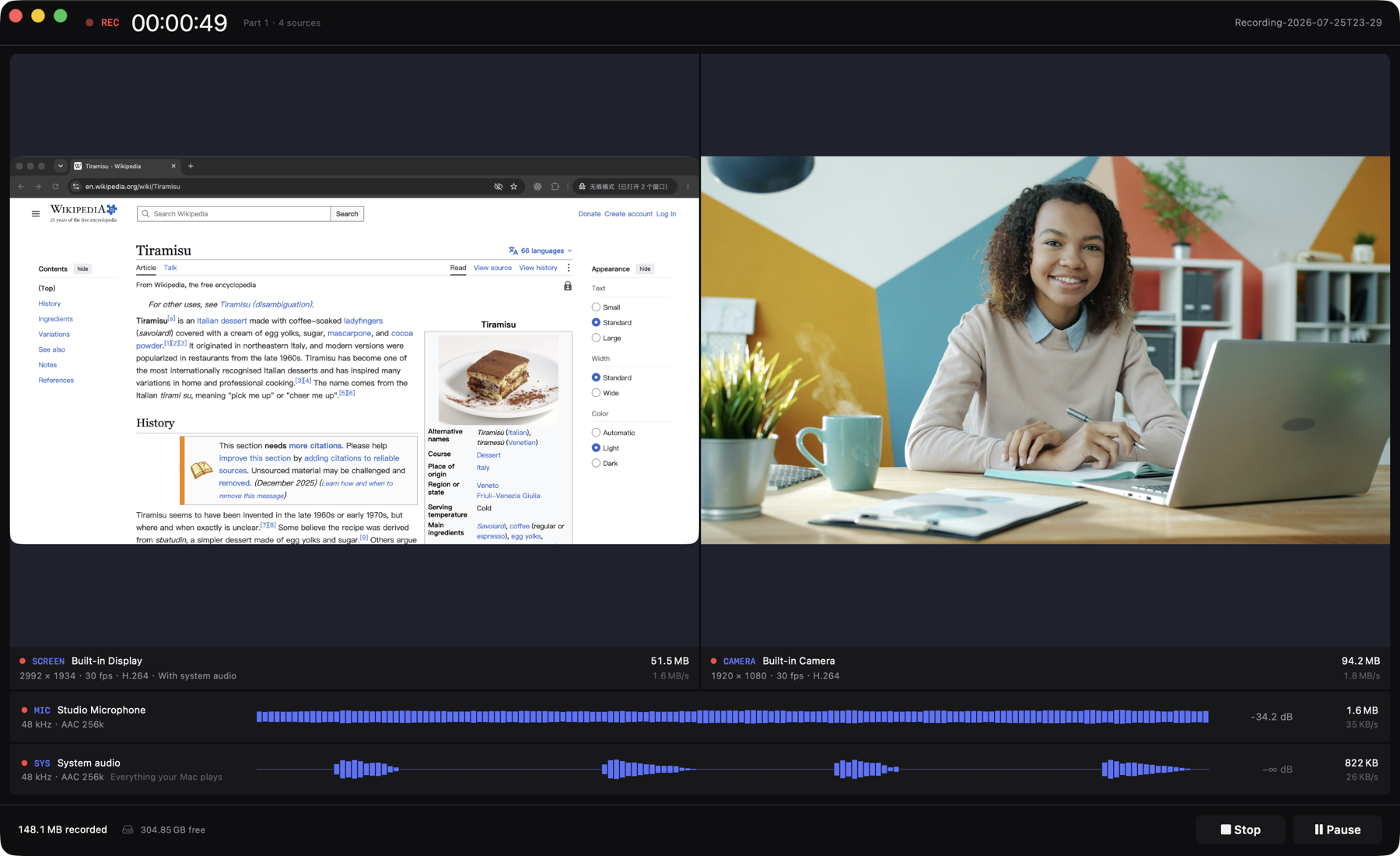
The console shows each source as its own panel: live picture for displays and cameras, a scrolling level and dB reading for audio. Every panel reports resolution, frame rate, codec, file size and write speed. The footer watches free disk space and how much recording time is left.
Stays on your Mac
Flow does not upload anything, does not transcode after recording ends, and has no account to sign into. Files are final the moment recording stops.
Free and paid
Free
Every feature, every source. A free recording stops after five minutes and everything recorded up to that point is saved.
One-time purchase
Removes the time limit for good, on every Mac signed in to your Apple Account. No subscription, no renewal.
Price varies by region; the App Store shows yours.
Free or paid, every source writes its own file, nothing is watermarked, and nothing is reduced in quality.